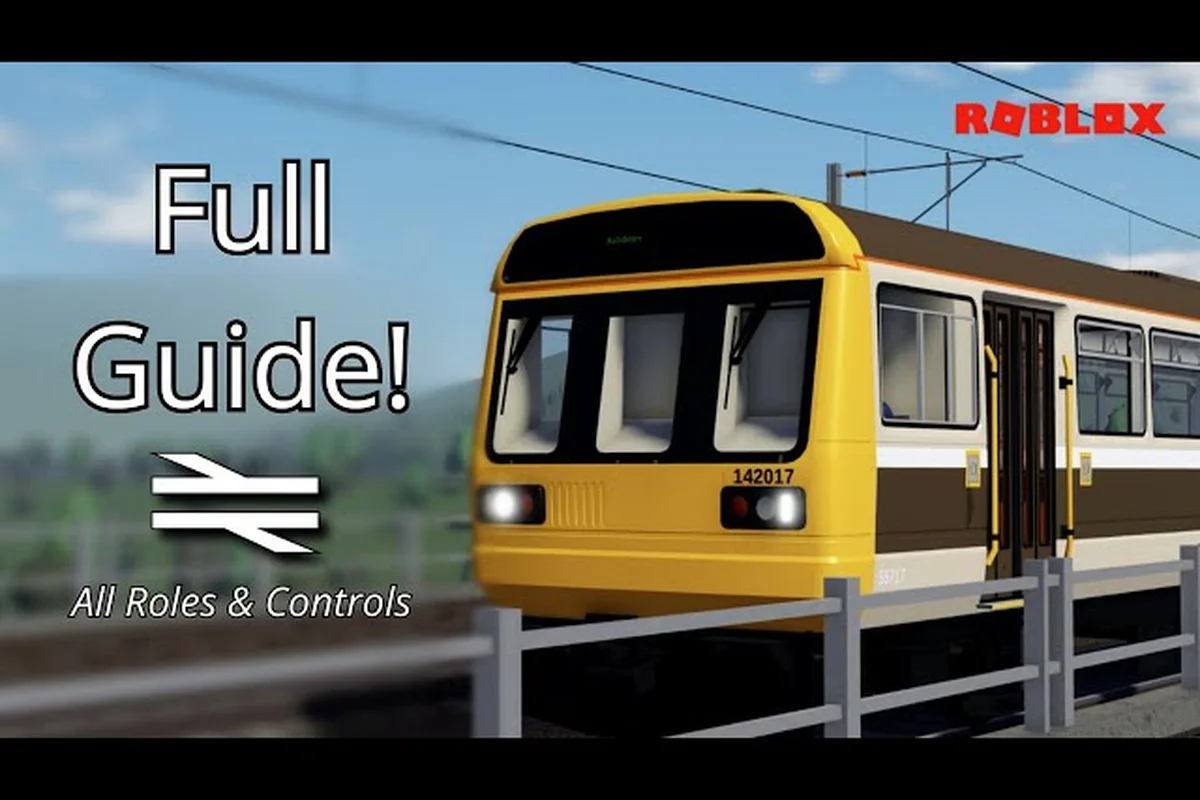
Stepping into the cab of a Class 43 HST for the first time can feel overwhelming, but this British Railway Roblox beginner guide breaks down everything you need to know before your first departure. With 35.9 million visits and roughly 2,000 concurrent players, British Railway has become one of Roblox's most polished train simulations, yet most new players quit within minutes because they never learn the fundamentals. That stops today. You will learn the exact controls, the fastest way to get a train moving, and the mistakes that separate smooth operators from frustrated beginners.
The game, developed by the Fourth Rail group, offers a fictional British railway network where you can drive, guard, or simply ride as a passenger. Unlike arcade-style train games, British Railway demands patience and attention to detail, which is precisely why a structured tutorial matters. By the end of this guide, you will know how to play British Railway Roblox with confidence, from spawning your first locomotive to handling passenger stops without embarrassing delays.
Understanding the Core Gameplay Loop
British Railway functions as a roleplay-driven simulation where every session revolves around moving trains across an expanding network. The core loop starts when you spawn at a station, select a role, and either join an existing service or create your own. Most beginners choose the Driver role because it offers the most interactive experience, but you can also work as a Guard, a Ticket Inspector, or simply explore as a passenger while you learn the map.
The game currently features the Pencarn extension, where you can drive the iconic Class 43 HST across bridges and viaducts, or pick up local passengers in the quirky Class 175. Each train type handles differently, which means your first hour should focus on understanding acceleration curves and braking distances rather than trying to master every locomotive at once.
| Role | Primary Task | Difficulty | Best For |
|---|---|---|---|
| Driver | Operating trains between stations | Medium | Players who want hands-on control |
| Guard | Managing doors and dispatching | Easy | Learning station procedures |
| Ticket Inspector | Checking passenger tickets | Easy | Passive gameplay with interaction |
| Passenger | Riding the network | Very Easy | Exploring routes and learning maps |
The server cap sits at 45 players, which creates a lively but manageable environment for learning. Because the game updates regularly, with the latest V1.4.2 "The Western Update" releasing on August 8, 2026, the meta can shift, but the fundamental loop remains consistent. Your goal is simple: get a train from point A to point B safely, on time, and without causing delays for other players.
Essential Controls and Keybinds
Before you can drive anything, you need to understand the control scheme, and this is where most beginners get stuck. The British Railway Roblox controls differ significantly from standard Roblox games because they simulate real train operations rather than simplified arcade mechanics. Fortunately, the control layout becomes intuitive once you break it down into categories.
Locomotive Controls
The primary controls revolve around throttle, brake, and direction. You will use the W and S keys to increase or decrease throttle, while the Spacebar applies the emergency brake when you need to stop quickly. The Shift key toggles between forward and reverse, and the E key opens the door controls when you are stopped at a platform.
| Action | Keybind | Notes |
|---|---|---|
| Increase Throttle | W | Hold for gradual acceleration |
| Decrease Throttle | S | Reduces power output |
| Emergency Brake | Spacebar | Stops train immediately |
| Direction Toggle | Shift | Switches forward/reverse |
| Door Control | E | Opens/closes passenger doors |
| Horn | H | Use at level crossings and stations |
| Camera Toggle | C | Switches between cab and external views |
Station and Dispatch Controls
When you arrive at a station, the Door Control interface appears automatically, allowing you to open doors on either side of the train. You must wait for passengers to board before closing doors and departing. The Dispatch Timer shows how long you have before your scheduled departure, and departing early is just as bad as departing late because it disrupts the timetable.
The Tab menu opens the full control panel where you can check your current speed, next station, and any signals ahead. According to community reports, many new players miss this menu entirely and end up confused about their route, so make it a habit to check it before every departure.
Mastering the Throttle, Brakes and Signals
Now that you understand the controls, it is time to put them into practice. Learning how to drive a train in British Railway requires a systematic approach, because rushing through the process leads to overshooting platforms or stalling on gradients. Follow this step-by-step tutorial to complete your first successful run.
Step 1: Spawn and Select Your Train
Open the Train Spawner menu by pressing M and browse the available locomotives. For your first run, choose a Class 175 because it has forgiving acceleration and simple controls. Avoid the high-speed trains until you master braking distances, as they require much earlier braking points.
Step 2: Enter the Cab and Start the Engine
Walk to the cab door and press E to enter. Once inside, locate the Master Key and press F to insert it, which activates the control panel. You will see the throttle lever, brake gauge, and speedometer light up. Press W to increase throttle to about 25 percent and wait for the train to start moving.
Step 3: Accelerate Smoothly
Gradually increase throttle to 50 percent as you leave the station, then to 75 percent once you reach open track. The key is smooth acceleration, because sudden throttle changes cause wheel slip and reduce your effective speed. Watch the speedometer and aim for the line speed limit displayed on trackside signs.
Step 4: Brake Early for Stations
This is the most critical skill in the entire game. Begin braking at least 300 meters before the station platform when traveling at 60 mph, and adjust based on your actual speed. Apply the brake in stages rather than slamming it, because gradual braking maintains passenger comfort and prevents overshooting.
| Speed (mph) | Braking Distance | Brake Application |
|---|---|---|
| 30 | 100 meters | Light, tap repeatedly |
| 45 | 200 meters | Medium, steady pressure |
| 60 | 300 meters | Heavy, hold until 20 mph |
| 75 | 400 meters | Maximum, then release |
Step 5: Stop Accurately and Dispatch
Aim to stop with the front of the train aligned with the platform marker displayed on the station. Once stopped, press E to open doors, wait for the passenger boarding animation to complete, then close doors and check your dispatch timer. When the timer reaches zero, increase throttle and continue your journey.
Avoiding Common Beginner Mistakes
Every new player makes mistakes, but some errors cause more frustration than others. Based on player experience shared across the community, these are the most common pitfalls that derail otherwise promising first sessions. Understanding them before you start will save you significant time and frustration.
The biggest mistake is ignoring the signal system. British Railway uses a simplified but functional signaling system where red signals mean stop, yellow means prepare to stop, and green means proceed. Running a red signal results in an automatic penalty that slows your train and can cause you to miss your platform slot. Always check the signal before passing it, especially when approaching stations.
Another frequent error involves skipping the tutorial prompts. The game displays contextual hints during your first session, but many players dismiss them without reading. These prompts explain critical mechanics like door operation and dispatch timing, and skipping them leads to confusion later. Take the extra minute to read each prompt as it appears.
| Mistake | Consequence | Prevention |
|---|---|---|
| Running red signals | Speed penalty, missed slots | Always check signals before passing |
| Overshooting platforms | Delayed dispatch, passenger complaints | Brake earlier than you think necessary |
| Opening doors on wrong side | Passenger confusion, delays | Check platform side before opening |
| Excessive throttle | Wheel slip, reduced speed | Accelerate gradually |
| Ignoring dispatch timer | Late departure, timetable disruption | Monitor timer between stations |
Mobile players face additional challenges because touch controls lack the precision of keyboard input. If you play on mobile, consider using the simplified control mode available in settings, which replaces the throttle lever with simple acceleration and brake buttons. This mode reduces control fidelity but makes the game significantly more accessible on touch screens. For a deeper look at platform-specific performance, check the lag and performance guide which covers optimization for both mobile and PC.
Advanced Tips for Faster Progression
Once you complete your first successful run, you will want to expand your skills and unlock more content. While British Railway does not feature a traditional progression system, mastering advanced techniques makes your sessions more enjoyable and opens up opportunities to drive premium trains.
Mastering the Class 43 HST
The Class 43 HST represents the pinnacle of current content, offering high-speed intercity service across the Pencarn extension. This train accelerates quickly but requires disciplined braking, as its higher top speed means you need to start slowing down much earlier. Practice on the Class 175 first, then graduate to the HST once you consistently stop within the platform markers.
Understanding the Guard Role
Driving is not the only way to contribute to the network. The Guard role involves managing doors, checking tickets, and ensuring safe departures. Many players find this role less stressful while still engaging, and it provides a different perspective on how the network operates. If you want to explore this path, the guard role guide covers dispatching procedures and door management in detail.
Reading the Timetable
The timetable system determines when trains depart and which platforms they use. Understanding how to read it helps you plan your routes and avoid conflicts with other services. The timetable displays departure times, platform numbers, and destinations, and experienced players use it to coordinate with other drivers for realistic operations.
| Train Class | Max Speed | Acceleration | Braking | Best Route |
|---|---|---|---|---|
| Class 175 | 100 mph | Good | Moderate | Local stopping services |
| Class 43 HST | 125 mph | Excellent | Demanding | Intercity express |
| Class 66 (Freight) | 75 mph | Poor | Good | Freight operations |
Coordination is the secret to enjoying British Railway at its best. The game shines when multiple players work together, with drivers, guards, and inspectors each handling their responsibilities. Join the official Fourth Rail Roblox group to stay updated on development and find other players to run services with, or check the official British Railway game page for the latest update information.
Frequently Asked Questions
What is the best train for beginners in British Railway?
The Class 175 is the best starting train because it offers forgiving acceleration and moderate braking distances, making it easier to learn station stops. Its lower top speed also means you have more reaction time when approaching signals and platforms. Graduate to the Class 43 HST after you consistently stop within platform markers.
How do I open train doors in British Railway?
Press the E key when stopped at a platform to open the door control interface. Select the appropriate side based on the platform location, then wait for passengers to board before closing doors. On mobile, use the door button that appears on screen when you stop at a station.
Can I play British Railway on mobile devices?
Yes, British Railway supports mobile play, though the controls are simplified compared to PC. Enable the simplified control mode in settings to replace the throttle lever with basic acceleration and brake buttons. Mobile players should expect a slightly more challenging experience with high-speed trains due to less precise control input.
Do I need to buy a gamepass to enjoy British Railway?
No, all core gameplay features are free, including driving trains, guarding services, and exploring the network. Gamepasses provide cosmetic items and convenience features but do not gate essential content. The gamepass guide explains what each purchase offers if you want to support the developers.
Why does my train keep overshooting stations?
Overshooting happens when you brake too late or too aggressively. Start braking at least 300 meters before the platform when traveling at 60 mph, and apply the brake gradually rather than slamming it. Watch your speedometer and adjust your braking point based on your actual approach speed each time.